ASP.NET Page Methods with Parameters
In earlier post I have written how we can use page methods to call server-side from the java script. In this post I am going to explain How we can pass parameters to page methods with java script.So let’s take a simple example to see how we can pass parameters to the page methods. I am going to create a page method Hello World which takes name as parameter and return a string to greet user from that page method below is code for that.
8
9
10
11
12
13
14
15
16
17
18
19
20
21
| using System;using System.Web.Services;namespace PageMethods{ public partial class Test : System.Web.UI.Page { [WebMethod] public static string HelloWorld(string name) { return string.Format("Hi {0}",name); } }} |
8
9
10
11
12
13
14
15
16
17
18
19
20
| <script type="text/javascript"> function GreetingsFromServer() { var name = 'Jalpesh'; PageMethods.HelloWorld(name,OnSuccess, OnError); return false; } function OnSuccess(response) { alert(response); } function OnError(error) { alert(error); }</script> |
Now we are done with java script so its time to write HTML code. So let’s write a HTML code for this page.
8
9
10
11
12
13
14
15
16
17
18
19
20
21
22
23
24
25
26
| <%@ Page Language="C#" AutoEventWireup="true" CodeBehind="Test.aspx.cs" Inherits="PageMethods.Test" %><!DOCTYPE html PUBLIC "-//W3C//DTD XHTML 1.0 Transitional//EN" "http://www.w3.org/TR/xhtml1/DTD/xhtml1-transitional.dtd"><head runat="server"> <title>Page Method with parameter demo</title></head><body> <form id="form1" runat="server"> <div> <asp:ScriptManager runat="server" EnablePageMethods="true" EnablePartialRendering="true"> </asp:ScriptManager> <asp:button ID="btnHelloWorld" runat="server" Text="Greet User" OnClientClick="return GreetingsFromServer();"/> </div> </form></body></html> |
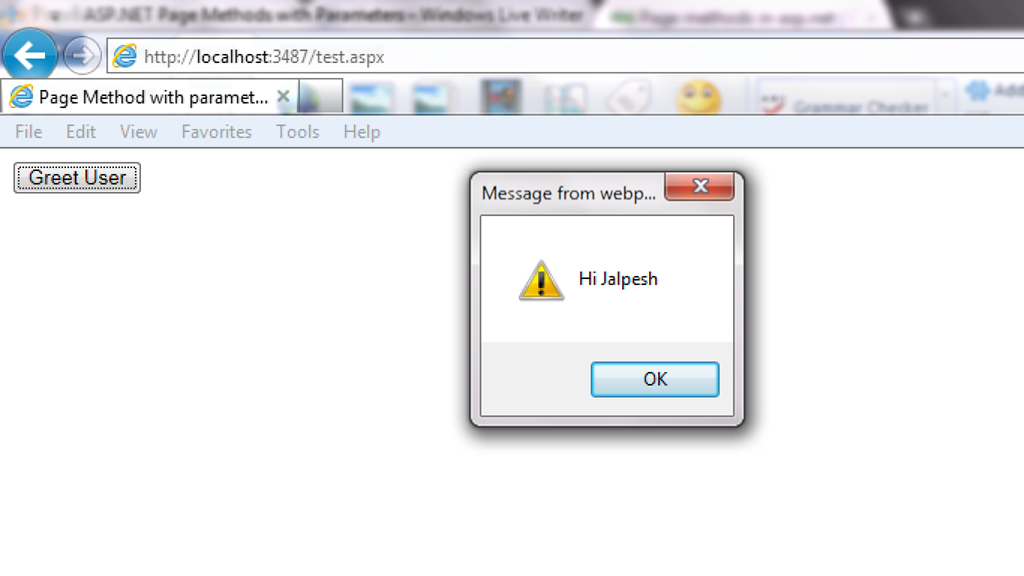
That’s it. It’s very easy hope you liked it..Stay tuned for more…Happy programming
http://weblogs.asp.net/jalpeshpvadgama/archive/2012/01/07/asp-net-page-methods-with-parameters.aspx


No comments:
Post a Comment